
Balance: Top-ups, Withdrawals, and Auto-Top-up
All services on the platform are paid from a single balance in dollars: cascades, position checks, audits, and security scans. You can top it up using a card, cryptocurrency, via PayPal, or by invoice for legal entities.
How to Top Up
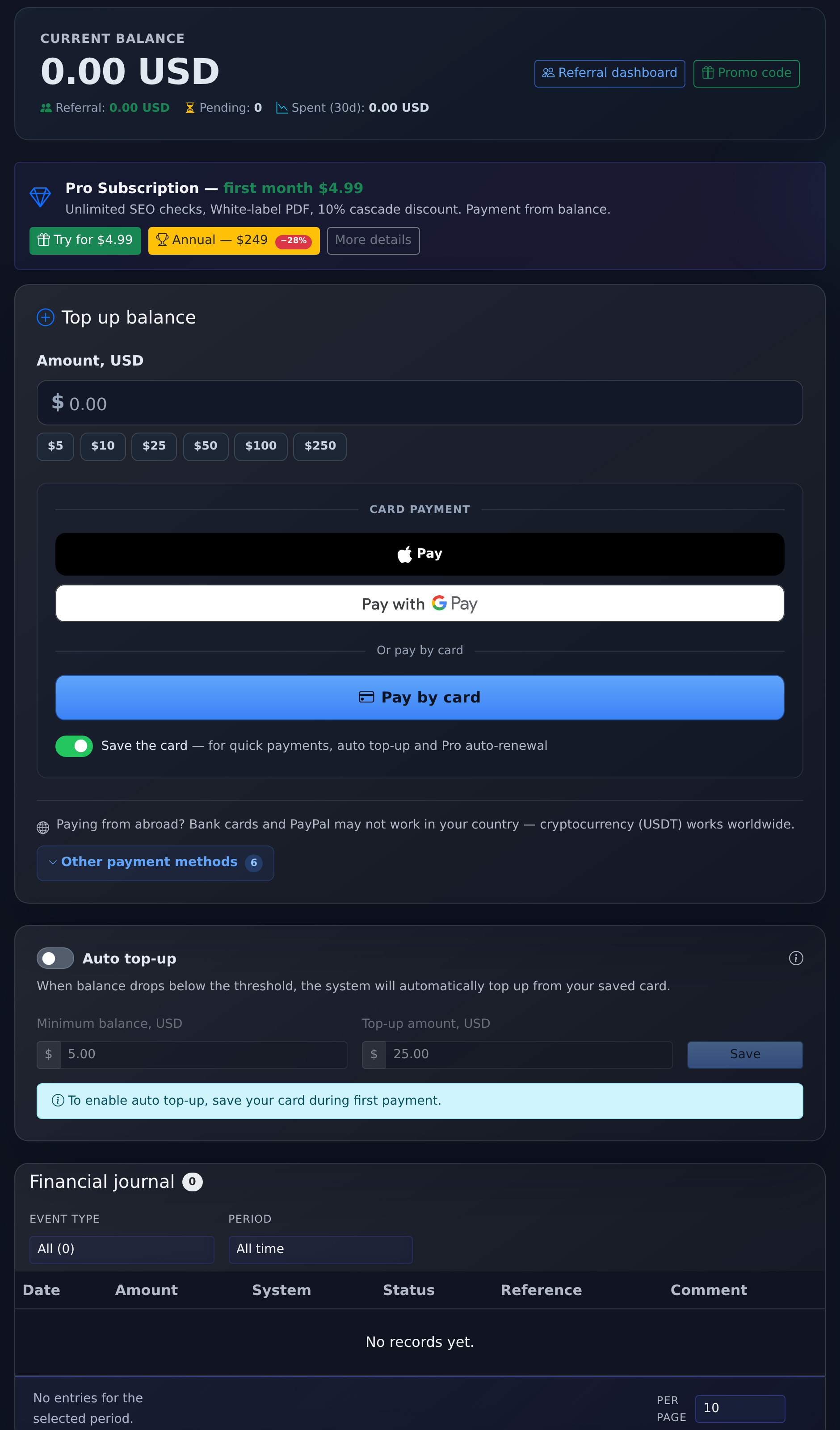
Select a payment method, specify the amount, and confirm the payment. Funds are credited automatically: cards and e-wallets — immediately after confirmation, cryptocurrency — after the required number of network confirmations.
Payment Methods
- Cards — payment with 3-D Secure, Apple Pay and Google Pay are supported.
- Cryptocurrency — USDT and other coins across several networks.
- PayPal — for those who prefer the familiar wallet.
- Invoice for Legal Entities — an invoice is generated in PDF, payment by details.
Auto-Top-up
If cascades are launched regularly, enable auto-top-up: when the balance falls below a specified threshold, the system will automatically deduct the specified amount from the saved card. This prevents situations where a planned launch does not start due to insufficient funds.
Transaction History
Each top-up and withdrawal is visible in the history: date, amount, purpose, and balance after the transaction. Withdrawals for promotion are signed — you can see which specific launch and project they were for.
Promo Codes and Bonuses
The promo code is activated in the "Balance" section and immediately credits the amount. Bonuses for actions in the system (first launch, series of logins, reviews, invited friends) are credited automatically. Bonuses have a total quota that grows along with real top-ups — this protects the system from inflation, while active clients do not hit a ceiling.
Refunds
The cost of a cascade is deducted once, at the moment of launch. You cannot cancel a launch that has already been executed — the service has been provided. If the publication was not confirmed, the system will attempt to place it again without requesting additional payment.
There is no automatic refund for the unfinished part: disputed situations are resolved manually. Write to support from your account and specify the launch number — it shows what and when was published.